GTA 6 Best Settings for PS5, PS5 Pro and Xbox: Graphics, HDR and Controller
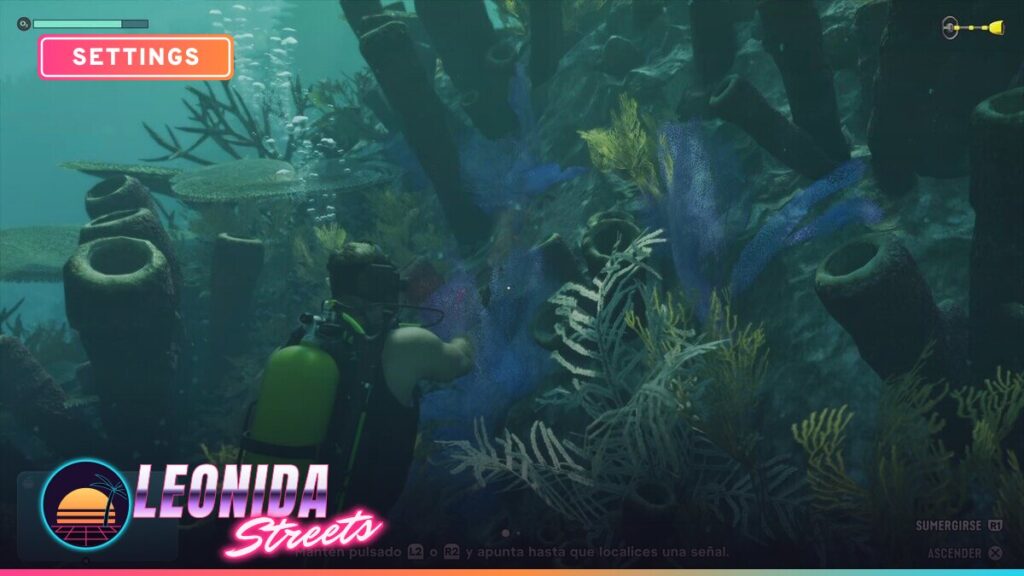
Every launch-week thread asks the same thing: where’s the 60 fps toggle? There isn’t one. So the “best settings” for GTA 6 on console aren’t about choosing a mode. They’re about display, camera and controller options that clean up a 30 fps game. Below: what each console actually renders (per Digital Foundry’s launch analysis), then the menu options worth changing, with the defaults so you know where you started.
GTA 6 30 or 60 fps: what each console really runs
Before launch, Rockstar said it built GTA VI “targeting 30 frames per second” on PS5 and Xbox Series X|S, and listed two PS5 Pro extras: sharper image quality through PSSR and ray-traced shadows that no other console gets. Digital Foundry’s launch-day coverage backs that up. There’s no 60 fps mode on any console and no 40 fps option on PS5 Pro.
| Console | Internal resolution | Upscaling | Frame rate (reported) | Ray tracing |
|---|---|---|---|---|
| PS5 Pro | 1440p | PSSR, close to a 4K look | Near-locked 30; brief dips to ~24 in extreme explosion tests | GI + reflections + shadows |
| PS5 | 1440p | Spatial upscale to 4K | Mostly 30; dips into the 20s in heavy action (23 fps reported in one grenade-launcher scene) | GI + reflections |
| Xbox Series X | 1440p | Upscaled to 4K | Mostly 30; around 20-22 in the heaviest shootouts | GI + reflections |
| Xbox Series S | 720p | FSR 4 to ~1080p | Often mid-to-high 20s; around 20 in big vehicle destruction | GI + reflections (lower quality) |
Short version: if you own a PS5 Pro, you already have the best console version. There’s nothing to toggle to get there. On base PS5 and Series X the gap is image clarity and shadow quality, not frame rate. Series S is playable but the hardest to recommend.
Do 120Hz and VRR help?
On Xbox Series X|S, the console can output at 120Hz with VRR. On a compatible TV, low framerate compensation smooths the dips under 30, and Digital Foundry’s coverage describes Series X as slightly smoother than PS5 in that setup. On PS5, system VRR only kicks in above 48 fps, so it does nothing for a 30 fps game. It’s not worth changing your PS5 output for GTA 6.
Best GTA 6 graphics settings (Display menu)
There’s no graphics mode selector in the console version’s Display menu. You won’t find a field of view slider, film grain or depth of field toggle either. What you can change sits under Settings > Display (switch tabs with L1/R1 on PS5 or LB/RB on Xbox).
| Setting | Default | Our pick | Why |
|---|---|---|---|
| Motion Blur Strength | 3 | 0 (or 1-2) | Sharper image when you pan the camera. Go 1-2 if 30 fps feels choppy without it. It doesn’t change the frame rate either way. |
| Player Status / Hit / Awareness Effects Intensity | 5 (max) | 3-4 | Less screen clutter during fights. Keep Awareness higher if you rely on the edge warnings for cops and off-screen threats. |
| Flashbang | Bright | Dark | Less of a white-out blast on an HDR TV. |
| Brightness Reduction | Off | Off | Turn on only if the flashes and bright scenes bother your eyes. |
| High Contrast Shaders | Off | Optional | Outlines enemies, allies and things you can interact with. Great for readability, but it changes the look. |
| Focus Trail Colorblind Mode | Off | On if needed | Boosts trail colors so they’re easier to see. |
| Safe Zone | – | Adjust once | Only matters if your TV crops the edges of the HUD. |
Best GTA 6 HDR settings
HDR is on by default. Do it in this order, or you’ll be fighting your TV’s settings:
- Calibrate the console first. On PS5: Settings > Screen and Video > Video Output > Adjust HDR. On Xbox, use the HDR game calibration app in the TV & display settings.
- Set the TV to its game or HGIG-style mode if it has one, so the TV isn’t tone-mapping on top of the game.
- Then open Settings > Display > HDR Calibration in GTA 6. You get three sliders, each with a test image.
| HDR slider | Default | How to set it |
|---|---|---|
| Max Brightness | 600 | Raise it toward your TV’s real peak brightness if it’s a bright OLED or mini-LED. Lower it if the sun and neon clip into flat white. |
| Black Levels | 50 | Lower until the darkest test symbol barely disappears. If shadows look gray and washed out, this is too high. |
| Paper White | 50 | Controls overall mid-tone brightness and the HUD. Raise it in a bright room, lower it at night. |
Best GTA 6 camera settings
- Camera Shake: On by default. Turn it off if police chases and crashes get hard to follow.
- Camera Bob: Default 10. Drop to 0-5 if you get motion sick.
- Cinematic Vehicle Crash Frequency: Default 3. Set 0-1 if the slow-mo crash cams annoy you mid-chase.
- Camera Height (On Foot / All Vehicles): Default Medium. High gives you a wider view of traffic and cover.
Best GTA 6 controller settings
Several launch guides agree the stock sensitivity feels slow at 30 fps. Look and aim sensitivity default to around 7. Move them up one or two steps at a time, not all at once.
| Setting | Default | Suggested start |
|---|---|---|
| Look Sensitivity (H/V) | ~7 | 8-9 horizontal, 7-8 vertical |
| Aim Sensitivity (H/V) | ~7 | 7-8 (keep it a bit below look) |
| Look / Aim Acceleration | 7 | Lower aim acceleration (5-6) if you overshoot targets |
| Aim Response Curve | Standard | Linear or Precision if you free aim |
| Targeting | Partial | Partial; Lock-On if you just want the story |
| Aim Assist Strength | 4 (scale 0-5) | 4 |
| Shooting Assist / Drive-By Assist / Quick Draw | On | Keep on unless you play pure Free Aim |
| Stick deadzones | Default | Leave them. Only raise if the camera drifts with the stick released. |
DualSense options (PS5)
You can adjust vibration and haptics strength, adaptive trigger resistance and trigger vibration. Adaptive triggers add feel in the story. For races or long shootouts, turning trigger resistance off saves your fingers. Personal call.
Control scheme
There are Default, Classic and Left-Handed layouts. Classic moves Run to X (A on Xbox), which will feel familiar if you have GTA 5 muscle memory.
Gameplay and accessibility settings worth knowing
- Movement Speed: Defaults to Walk. Set it to Run so you’re not holding sprint all the time.
- Street Names: Off by default. Turn it on while you learn Leonida.
- Map/Minimap Blip Size: Bump it to Large if you play from the couch on a big TV.
- Tap Assist / Hold Assist: Replace button-mashing with holds. Useful for anyone with hand strain.
- Simplified Mini Games: Off by default. Makes side activities easier to clear.
- Auto Drive: Default Restricted, with Unrestricted as the other option.
- Accessible Combat and Reduced Vehicle Damage: The game warns these change the balance a lot. Fine to use. Just know what you’re turning on.
- Audio: Screen Narration, Tinnitus Reduction and Mute Licensed Music (handy for streamers) all live under the Audio tab.
FAQ
Does GTA 6 have a 60 fps mode on PS5 Pro?
No. GTA 6 targets 30 fps on every console, PS5 Pro included. The Pro’s advantage is image quality: PSSR upscaling from 1440p and ray-traced shadows, plus a steadier 30.
Is there a performance or quality mode in GTA 6?
Not at launch. The console Display menu has no graphics mode selector. Each console runs a single fixed preset.
What’s the best motion blur setting in GTA 6?
Default is 3. Most players will prefer 0 for a sharper image, or 1-2 if the 30 fps panning feels choppy. It doesn’t affect the frame rate.
What are the default HDR settings in GTA 6?
Max Brightness 600, Black Levels 50 and Paper White 50. Calibrate your console’s HDR first, then adjust these sliders against the in-game test images.
Which console runs GTA 6 best?
PS5 Pro: sharpest image, most stable frame rate and the only version with ray-traced shadows. Xbox Series S is the weakest, at 720p internal with frequent dips below 30.
Is GTA 6 on PC?
Not yet. GTA 6 launched on November 19, 2026 for PS5 and Xbox Series X|S only. A PC date hasn’t been announced.