Best Setup for GTA 6: Console, TV, Storage, Controller and Headset (What Actually Matters)
Before you spend money on GTA 6, it helps to know what the game actually uses. Here's what matters and what doesn't, piece by piece: console, TV or monitor, storage, controller, sound and extras like the PS Portal or a capture card for streaming. It's based on our tested guides (PS5 vs PS5 Pro vs Xbox, best settings, file size and price) and on the setup Boost Dimi plays and streams GTA 6 with.
What really matters in a GTA 6 setup (and what doesn't)
| Part | Matters for GTA 6? | Why |
|---|---|---|
| Console | Yes | PS5 Pro has the sharpest image and steadiest 30 fps; Series S is clearly last |
| HDR quality of the TV | Yes, a lot | Vice City's neon, sunsets and night scenes are where GTA 6 looks best |
| 120 Hz / HDMI 2.1 | Only on Xbox | No 60 fps mode; PS5 VRR only works above 48 fps |
| Storage | Yes | Up to 212 GB, more with patches |
| Controller | Comfort | DualSense haptics and adaptive triggers are used on PS5 |
| Headset | Nice to have | 20+ radio stations and a busy city mix |
Best console for GTA 6: PS5, PS5 Pro or Xbox?
PS5 Pro is the best way to play: PSSR upscaling gives it a near-4K look and it's the only version with ray-traced shadows. PS5 and Xbox Series X are roughly tied. Series S works but has the weakest image and only about 364 GB of usable storage. Every console runs at the same 30 fps target, so the upgrade buys image quality and stability, not frame rate. Full numbers in our console comparison.
Best TV or monitor for GTA 6
Because the game is locked to 30 fps, put your money into picture quality, not refresh rate:
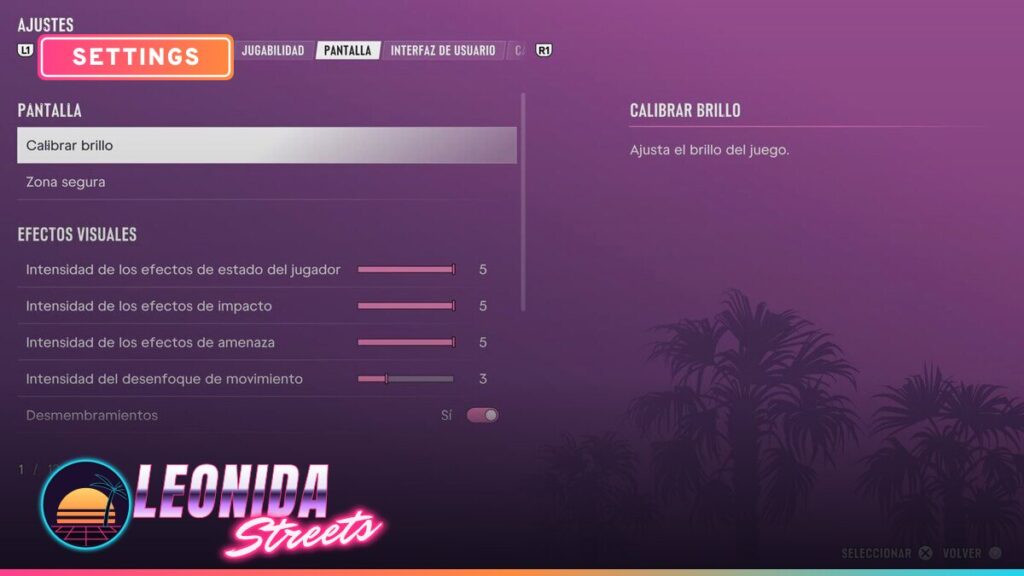
- Good HDR: high peak brightness and deep blacks. OLED and mini-LED TVs show the biggest difference. Calibrate it with our HDR settings guide.
- Game mode or HGIG: cuts input lag and stops the TV tone-mapping on top of the game.
- 4K: worth it on PS5 Pro, where the image is closest to 4K.
- 120 Hz + VRR: only useful if you play on Xbox Series X|S, where low framerate compensation smooths the dips below 30. On PS5 it does nothing for GTA 6.
- Monitor instead of a TV? Fine for a desk setup or streaming. Look for HDR that's actually bright (HDR600 or higher), not just "HDR-ready".
Storage: where to fit 212 GB
Rockstar says GTA 6 needs up to 212 GB, and patches add more over time.
- PS5 / PS5 Pro: the game fits on the internal drive, but it eats a big chunk. To keep other games installed, add an M.2 NVMe SSD (PCIe Gen4, with a heatsink) in the expansion slot. A USB drive can store PS5 games but can't run them.
- Xbox Series X|S: use an official storage expansion card. Series S users will feel it most: GTA 6 takes more than half of its usable space.
Controller: DualSense, Edge or Xbox pad
On PS5 the game uses DualSense haptics, adaptive triggers and the controller speaker. If the triggers feel too heavy, you can lower their resistance in the settings. For long sessions:
- A second DualSense so one is always charging, or a charging station.
- DualSense Edge if you want back buttons: handy for remapping actions without letting go of the sticks. Our controls guide lists every default button.
- Accessibility options for motor, hearing and vision are covered in our accessibility guide.
Sound: headset or speakers
GTA 6 has 20 music stations, two talk stations and a hidden one (full list), plus a dense city soundscape. A decent headset helps you hear police radio chatter, footsteps and dialogue on the move, and it's a must if you play late at night. Any wired or wireless headset that works with your console is fine; comfort matters more than "gaming" branding.
Extras: PS Portal, capture card and chair
- PS Portal: streams your PS5 over home Wi-Fi so you can keep playing when the TV is taken. It needs a good connection to your PS5.
- Capture card: if you want to record or stream GTA 6 from a PS5 or Xbox, you need one. Boost Dimi streams GTA 6 from a PS5 through an Elgato capture card into OBS; his full setup and OBS settings are in how to stream GTA 6.
- Chair: GTA 6 is a 60+ hour game. A chair with lumbar support does more for long sessions than any graphics setting.
The game itself
Haven't bought it yet, or thinking about the Ultimate Edition? Compare Standard vs Ultimate first: the upgrade costs the same later, so the Standard is the no-risk pick.
FAQ
Do I need a 120 Hz TV for GTA 6?
No. GTA 6 runs at a 30 fps target on every console with no 60 fps mode. 120 Hz with VRR only smooths dips on Xbox Series X|S; on PS5 it makes no difference.
Is the PS5 Pro worth it for GTA 6?
If you care about image quality, yes: it's the sharpest version and the only one with ray-traced shadows. It doesn't run faster than 30 fps, though.
How much storage do I need for GTA 6?
Up to 212 GB, plus room for patches. On PS5 an M.2 SSD keeps other games installed; on Xbox use an official expansion card.
What TV settings are best for GTA 6?
Game mode or HGIG on the TV, then calibrate HDR on the console and in GTA 6's own HDR menu. Step by step in our best settings guide.
What do I need to stream GTA 6 from a PS5?
A capture card connected to a PC running streaming software like OBS. Boost Dimi uses an Elgato capture card and OBS.
Can I play GTA 6 on PS Portal?
The PS Portal streams games from your PS5 over Wi-Fi, so it can show GTA 6 as long as your PS5 is on and your connection is strong.
Keep reading
Comments
No comments yet. Ask a question or share a tip!
Leave a comment